Subtitle files are often an afterthought until the moment you actually need one. A lecture recording lands in your inbox with no captions. A client sends a clip that needs subtitles before it goes live on their course platform. You have the audio, you have the visuals, but nothing for viewers who are hard of hearing, watching on mute in a quiet office, or following along in a second language. That is when you realise subtitle files are not just a nice extra. They are a core part of accessible, shareable video. Once you understand what these files contain and how the main formats differ from each other, choosing the right one becomes straightforward.
Key Points
- SRT, VTT, and SSA are the three subtitle formats most people encounter across everyday video workflows.
- All three store timecodes paired with text, but they differ significantly in styling support and platform compatibility.
- SRT is accepted on almost every platform and carries no complex styling, making it the safest choice for sharing.
- VTT is the web browser's native subtitle format and works directly inside HTML5 video players.
- When extracting captions from a recorded video, outputting to SRT gives you the most portable result.
What a Subtitle File Actually Contains
At its core, every subtitle file does one thing: it pairs a piece of text with a window of time. The file instructs a media player to display a particular phrase starting at a specific timestamp and to stop displaying it at another. That is the whole contract.
Beyond that basic structure, subtitle files may carry extra data. Some formats include styling instructions like font colour or text size. Others support positioning, letting captions appear at the top of the frame instead of the bottom. A few formats go further still, storing speaker labels, character-by-character karaoke timing, or even image-based text layers rather than plain text.
Most of that extra capability goes unused in everyday video work. A recorded course lecture, a Zoom meeting clip, or a YouTube upload does not need animated subtitles with custom fonts. Plain text synced to time is exactly what those use cases require. That observation explains a lot about why one particular format keeps showing up everywhere.
The Three Main Subtitle Formats You Will Encounter
SRT: Clean, Minimal, and Universal
SRT stands for SubRip Text. The format originated with SubRip, a Windows application built in the early 2000s to extract subtitles from DVD video streams. The tool was modest, the format was modest, and that modesty turned out to be its greatest long-term asset.
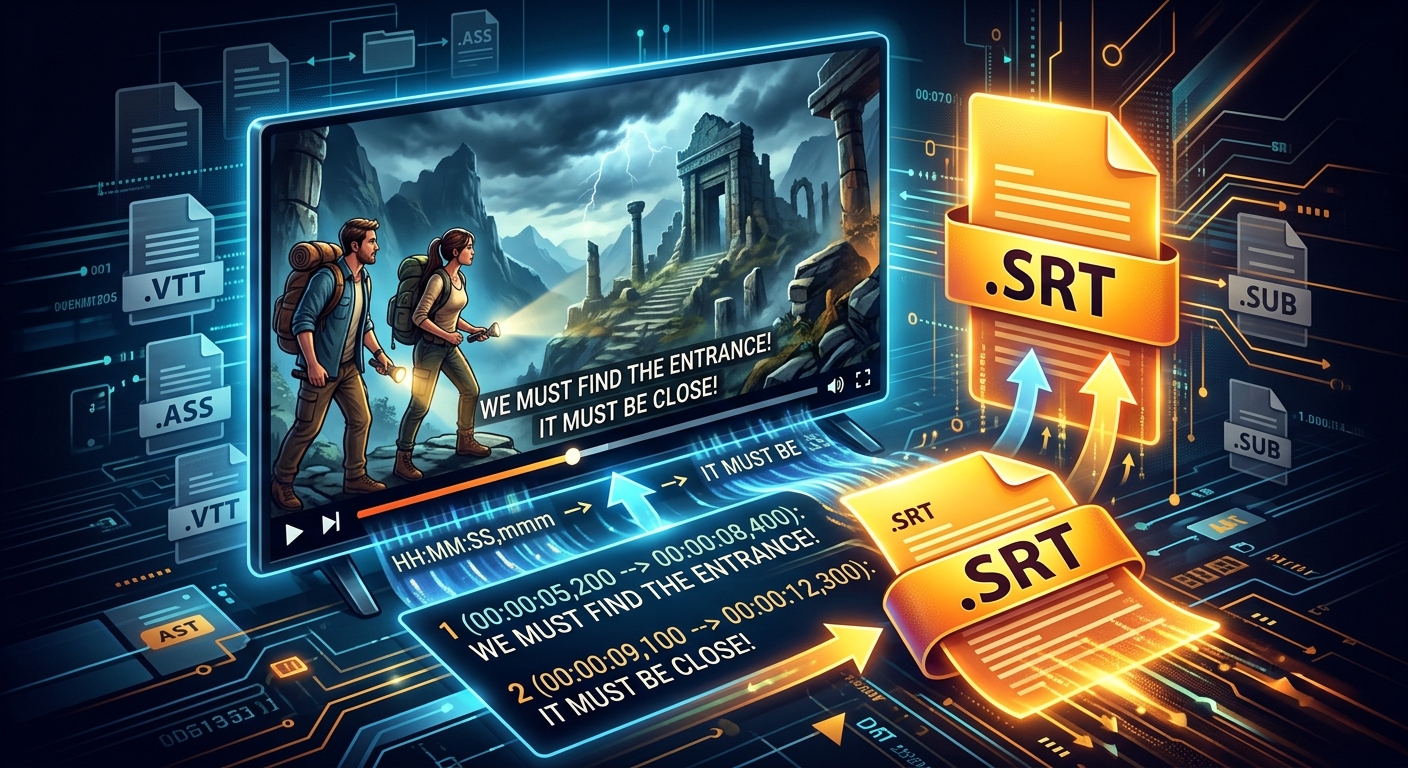
An SRT file is plain text. Open one in any basic text editor and you will see numbered blocks, each containing a sequence number, a timecode line written as HH:MM:SS,mmm --> HH:MM:SS,mmm, and then the subtitle text itself. There is no styling syntax. No colour codes. No positioning attributes. Just numbers, timestamps, and words.
That stripped-down structure is why SRT travels so well. Any video editor, any streaming service, any social platform that accepts external subtitle files almost certainly accepts SRT. There is nothing in the format that can confuse a parser or break a renderer in unexpected ways.
VTT: Built for the Web
WebVTT, usually seen with the .vtt extension, was designed specifically for use inside web browsers. The W3C maintains a WebVTT specification that defines exactly how browsers should parse and render these caption tracks alongside HTML5 video elements.
VTT looks similar to SRT at first glance. The timecodes use a slightly different separator, with dots instead of commas for milliseconds, and the file starts with a mandatory WEBVTT header line. The differences become more apparent when you look at what VTT can do that SRT cannot: inline styling with CSS, percentage-based positioning, region definitions for multiple simultaneous caption boxes, and voice span tags for labelling who is speaking.
For anyone building a website with an embedded video player and want styled captions, VTT is the natural choice. For sharing video files across a range of platforms and tools, it adds complexity that most workflows simply do not need.
SSA and ASS: Where Styling Takes Center Stage
SubStation Alpha (SSA) and its successor Advanced SubStation Alpha (ASS) belong to a different category entirely. These formats were built for the anime fansubbing community, where typesetting is treated as an art form. SSA and ASS files can define multiple style templates, control font weight and size per individual line, position subtitles anywhere on screen with pixel precision, and animate text in ways that plain caption formats cannot touch.
That power comes with a real tradeoff. SSA files are far more complex than SRT files, and most mainstream platforms will not accept them at all. They thrive inside desktop media players like VLC or MPC-HC and in video editing timelines where that level of control is genuinely needed. If your goal is to upload subtitles to YouTube, share a captioned video inside a learning management system, or send a recording to a colleague, SSA is the wrong tool for the job.
How the Three Formats Compare at a Glance
SRT vs. VTT vs. SSA: Feature Comparison
| Feature | SRT | VTT | SSA / ASS |
|---|---|---|---|
| File type | Plain text | Plain text | Plain text |
| Styling support | Minimal (bold, italic via tags) | CSS-based inline styling | Rich (fonts, colours, animations) |
| Caption positioning | No | Yes, percentage-based | Yes, pixel-precise |
| YouTube support | Yes | Yes | No |
| HTML5 video native | Via conversion | Yes, natively | No |
| Editable in plain text | Yes, very easy | Yes, with minor syntax care | Yes, but complex structure |
| Best use case | Universal sharing | Web-embedded video | Styled desktop playback |
Where Each Format Gets Used in Practice
Knowing the theoretical differences matters less than knowing which format each platform actually accepts. Here is the order of operations most people follow when they need subtitles on a finished video:
- Generate or obtain a transcript from the audio track, either by hand, through an automated speech recognition service, or by extracting captions already embedded in the source file.
- Export or convert that transcript to a subtitle format with accurate timecodes aligned to the spoken words in the video.
- Upload the subtitle file to the target platform alongside the video, or burn it into the frames if the destination does not support external caption tracks.
- Review and correct any timing errors or transcription mistakes before publishing or sharing.
At step two, the format you choose depends entirely on where the video is going. YouTube accepts both SRT and VTT. Udemy and most learning management systems accept SRT. Vimeo supports SRT and VTT upload. Broadcast workflows may expect formats like TTML or EBU-STL. For every other situation, SRT covers the base case without any guesswork.
Why SRT Became the Lowest-Common-Denominator Format
The simplicity of SRT is not a limitation. It is the reason the format outlasted dozens of competitors that launched with more features.
VTT is technically superior for web use. SSA handles complex styling that SRT cannot touch. Yet both formats assume a certain kind of infrastructure. VTT assumes a browser or player that can parse its extended syntax correctly. SSA assumes software specifically built to handle its style block definitions. SRT assumes nothing beyond a basic text parser and a clock. That assumption holds up everywhere, on every device, in every software tool that handles video.
There is also the editing factor. Anyone can open an SRT file in a plain text editor, fix a typo, adjust a timecode by a few frames, and save it back. No special tools required. No risk of accidentally corrupting a complex style block. The barrier to manual editing is almost zero, which matters enormously in real workflows where someone needs to correct a caption the night before a scheduled upload.
Extracting Captions From a Recorded Lecture or Meeting
This is where subtitle theory meets everyday practice. You recorded a workshop. You saved a Zoom call. You downloaded a training video that arrived without an English caption file. You need a standalone subtitle file, not text burned permanently into the video frames.
The cleanest path is to take the audio, run it through speech recognition, align the resulting text to the video timeline, and export the result as SRT. A dedicated video to SRT tool handles exactly this pipeline, taking your video file and returning a properly formatted .srt file with timecodes ready to upload or edit.
Once you have that SRT file, you are in a position to do almost anything with it. Upload it to YouTube as a caption track. Attach it to a Teachable or Thinkific lesson. Drop it into a video editing timeline for review and correction. Convert it to VTT if a particular web player specifically needs that format. SRT functions as the hub format for caption workflows. Everything else branches outward from it.
Platforms That Accept SRT Captions
The range of platforms and tools that accept SRT as a caption file is broad. These are the most common destinations people work with:
- YouTube: Upload SRT under the subtitles section of Video Manager for any published video.
- Vimeo: Supports SRT upload under each video's distribution and accessibility settings.
- Udemy and Teachable: Both accept SRT files attached directly to individual course lessons.
- Zoom cloud recordings: Auto-generated VTT captions can be downloaded and converted to SRT for cross-platform use.
- VLC Media Player: Reads SRT files automatically when placed in the same folder as the video file and named identically.
The Quiet Logic That Made One Format Win
Subtitle formats are not exciting. They are small text files that most people never open. But the choices baked into those formats, how much complexity they carry, what tools they require, which platforms accept them without complaint, directly shape whether your video reaches people or sits behind an accessibility gap.
SRT became the default not because it was the most capable format. It became the default because it asked the least of everyone involved. The person creating the file, the person editing it at the last minute, and the platform rendering it for viewers all get the same uncomplicated experience. No hidden syntax to break. No parser quirks to navigate. No tool requirements beyond a basic text editor.
VTT will continue to grow in web contexts. SSA will remain the choice for anyone who needs precise visual control over styled subtitles. But for the everyday task of taking a video and making it accessible to a wider audience, SRT does the job cleanly and lands without friction wherever it is sent. In file formats, as in most practical tools, the one that removes the most friction tends to travel furthest.
Subtitles travel as streams inside a container, which is why the container-versus-codec distinction matters here. Converting MKV to MP4 here keeps the first video and audio track only, so save embedded subtitles as a separate SRT first; the video format converter works the same way. See web video codecs for online delivery.